Build the first marketing template
Create the first banner, email image, social card, or launch visual in Pixelixe Studio, then keep it editable for future campaign updates and automation.
See the template editor ...Generate campaign assets for ads, email, social, launches, and lifecycle programs from reusable templates, spreadsheets, and API-ready workflows.
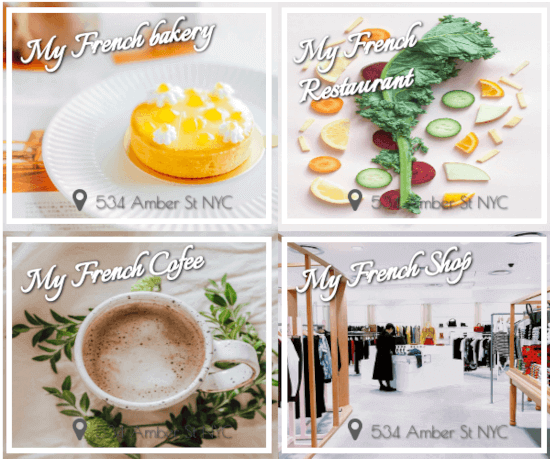
Start with one editable marketing template in Studio, then update copy, offers, images, and audience data to ship new variants without rebuilding every layout manually.
Increase campaign output with Pixelixe. Create one reusable marketing template, then update copy, offers, audience data, and formats to automate assets across each channel without repeating the same production work every time.
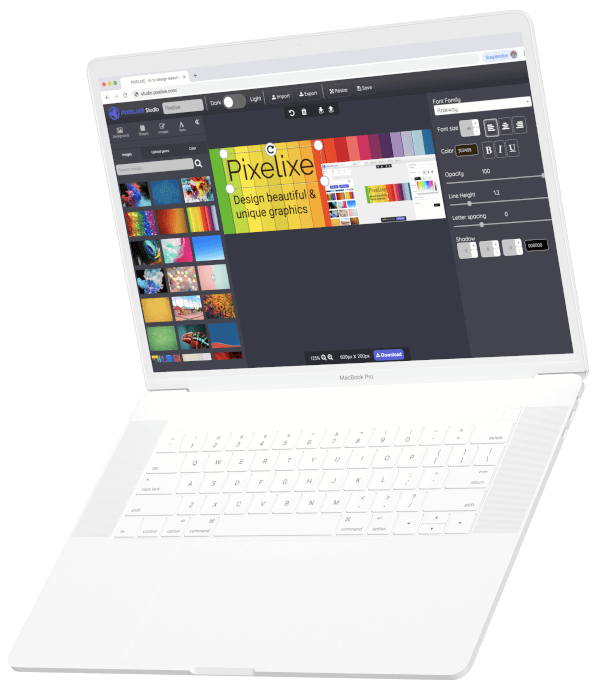
Create the first banner, email image, social card, or launch visual in Pixelixe Studio, then keep it editable for future campaign updates and automation.
See the template editor ...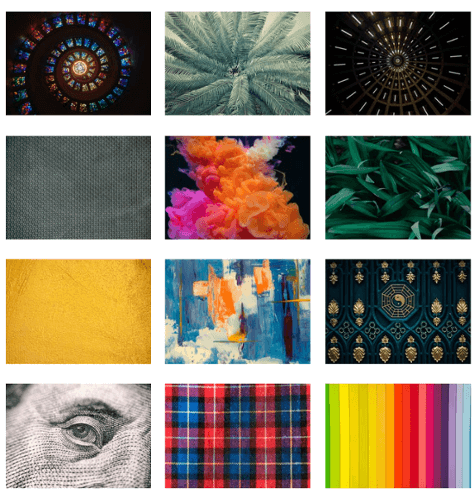
Use structured data to personalize headlines, offers, images, and CTA treatments across paid, lifecycle, email, and social campaigns.
See automated image generation ...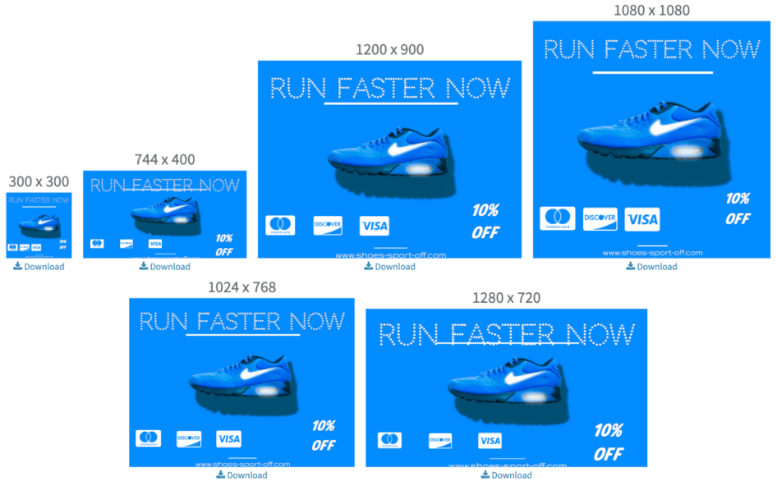
Create one marketing layout, then multiply it across the formats you need for ads, email, social, landing visuals, and recurring launch assets.
See multi-size banner generation ...Use Pixelixe to create reusable templates for ads, email, social, launches, and lifecycle campaigns, then keep production moving with spreadsheets, APIs, and automation.
Keep one editable source for your campaign logic instead of rebuilding the same layouts every week.
Generate the sizes and copy variations you need for ads, email, social, and lifecycle programs from the same template.
Reduce repetitive design work so marketing teams can focus more on messaging, testing, and launch timing.
Marketing creative automation becomes durable when it runs from the same data sources your campaigns already depend on.
Update onboarding, win-back, retention, and lifecycle creative with segments, names, products, and next-best-offer logic from CRM systems.
Generate launch visuals from dates, product lines, speakers, regions, and rollout schedules without rebuilding the same layouts for every release.
Swap offers, prices, audience copy, and channel-specific messaging from structured data while keeping the approved brand system intact.
Use spreadsheets for campaign ops or APIs for connected systems when marketing visuals from data need to run on demand, in bulk, or inside product workflows. If your main need is CRM, lifecycle, or segmented campaign rendering, see the Email Banner Automation landing. If your main need is rolling one campaign across multiple languages, countries, currencies, and legal lines, see Localization Creative Automation. If your main need is catalog rows, prices, offers, and merchandising promos, see Product Feed Promo Automation and the Image Personalization API.
See the more outcome-focused landing for generating marketing visuals from data when your team is evaluating inputs, outputs, and workflow choices first.
Pixelixe generates marketing automation images for ads, email, social, launches, lifecycle campaigns, and repeatable creative programs.
It fits growth teams, lifecycle marketers, CRM teams, agencies, and creative ops teams shipping campaigns on tight timelines.
Start with a template in Studio, then update the same system with CRM fields, launch timing, offers, product images, audience data, and channel sizes.
Generate campaign banners, email visuals, launch assets, paid variants, and lifecycle images without rebuilding the layout each time.
Marketing automation performs best when campaign templates, rendering logic, and AI-assisted creative inputs stay connected.
Go deeper into CRM, lifecycle, and segment-specific email banners generated from approved Pixelixe templates.
Go deeper into CRM, lifecycle, and segment-specific email banners generated from approved Pixelixe templates.
See the broader template-to-production workflow behind repeatable marketing image generation.
Render campaign assets from structured payloads when your marketing system needs API control.
Generate banner variants automatically from one template across paid and lifecycle workflows.
Start with AI creative directions, then turn the winning layout into a reusable marketing system.
Scale recurring client creatives, ad variants, local campaign rollouts, and review-ready visual production.
Generate menu specials, events, delivery offers, and local campaign visuals from offer and location data.
Turn branch, city, event, offer, and review fields into local campaign images at scale.
Generate class schedules, trainer spotlights, membership offers, challenges, and local studio visuals from campaign data.
Generate service cards, practitioner highlights, appointment CTAs, education visuals, and local clinic campaigns.
Generate venue booking promos, event cards, speaker graphics, and calendar-driven campaign visuals.
Scale branch-specific campaign visuals while keeping brand rules, disclaimers, and approvals controlled.
Generate inventory cards, price-drop visuals, finance offers, service promos, and dealership location campaigns.
Short answers for teams evaluating reusable campaign image workflows.
Marketing automation images are reusable campaign visuals that can be generated across ads, email, social, launches, and lifecycle workflows without rebuilding each design manually.
Teams create the first marketing template in Pixelixe Studio, then generate new variants by updating CRM fields, launch data, offers, audience data, image URLs, and sizes through spreadsheets or APIs.
Yes. Pixelixe lets teams reuse one template system across paid campaigns, email, social, launches, and lifecycle programs while preserving branded layout structure.
Use spreadsheets for operations-friendly bulk runs and recurring campaign batches. Use APIs when your marketing systems or product workflows need direct programmatic control over image generation.
Marketing automation can stay brand-safe when AI systems generate briefs, route work into templates, and hand back editable campaign assets instead of random outputs.
Review Pixelixe as a commercial layer for AI-driven creative production, editable campaign assets, and automation at scale.
Explore how internal assistants and prompt-based workflows can move into structured branded production instead of one-off generation.
Use this path when campaign triggers, source data, approvals, and downstream delivery need to stay inside one automation workflow.
Use these paths when prompts, copilots, or assistants should hand off into reusable campaign production.