Create once,
launch everywhere


Turn one editable layout into a reusable template system for campaigns, catalogs, lifecycle programs, and localized launches without redesigning every format by hand.


Image automation demo


1080 x 1080 px - Instagram
300 x 600 px - Ad Banner
1000 x 1500 px - Pinterest


Every text, color and image in a graphic can be modified on the fly


Creative automation templates for marketing images
Marketing automation

Reuse one template across campaigns and channels

Turn one Studio template into recurring images for ads, email, social, and lifecycle programs. Pixelixe keeps the editor and the automation layer connected, so teams can update copy, offers, sizes, and markets without rebuilding layouts.

Marketing automation images ...
Image Automation from API ...
Template-based ecommerce image automation
Ecommerce automation

Generate product visuals, promos, and localized variants

Use the same template logic to create catalog banners, sale updates, price changes, and multi-market ecommerce images from data feeds, spreadsheets, or structured payloads.

Ecommerce banner generator ...


Editable template editor for creative automation
Studio editor

Edit templates in Studio, then automate every run

Studio is where teams build the first layout, review it, and keep it editable. The same template can then move into spreadsheet workflows, APIs, or embedded products for repeatable image generation.

Graphic design tool ...
Embed the white-label editor ...

How Pixelixe Creative Automation Works?


One editable template, many images, with or without code.


1

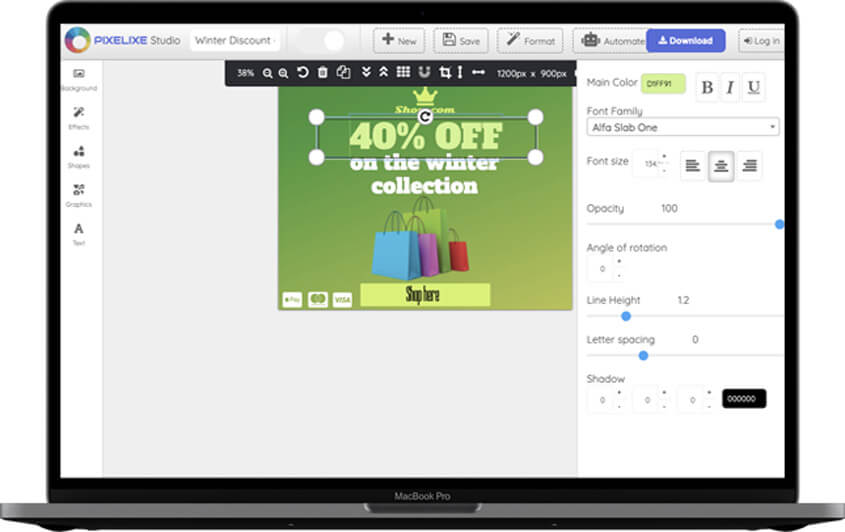
Template editor

Create the first reusable image

Start from a blank page or a ready-made template in Studio, then create the branded layout you want to reuse across campaigns and formats.

2

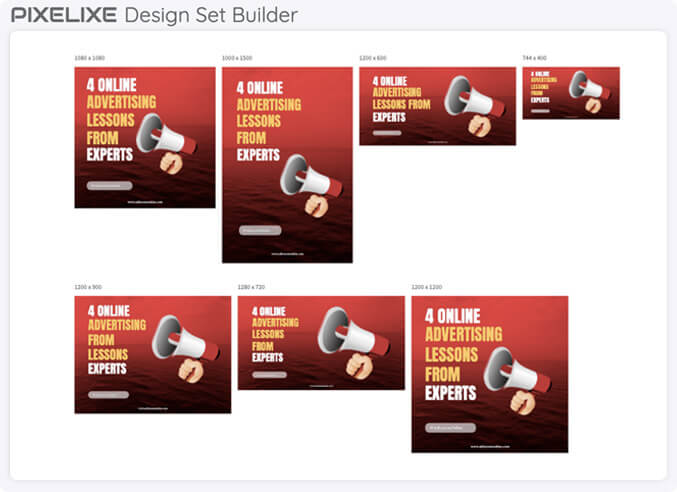
Design Set Builder

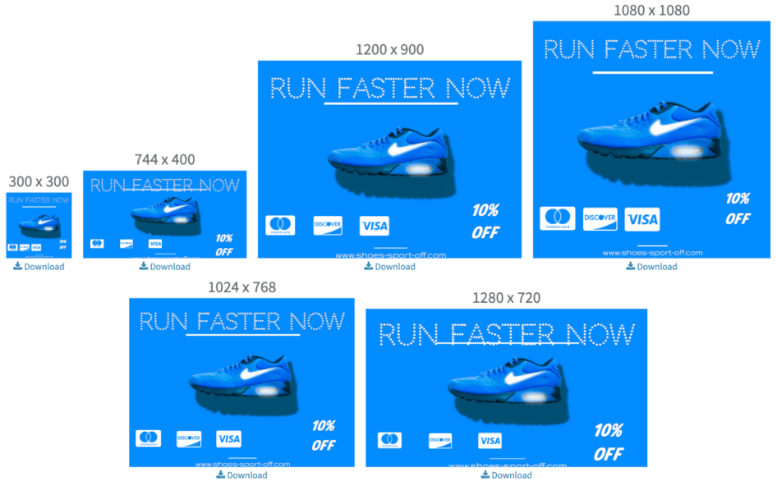
Generate multi-size variants automatically

Turn one template into a reusable set of sizes for social, ads, ecommerce, email, and other channels without rebuilding each image one by one.

3

Image automation

Generate images from spreadsheets or APIs

Render unlimited template variants from spreadsheets, feeds, or API payloads when your business needs recurring image production at scale.


Approved brand systems in, repeatable output out

On-brand creative automation only works when approved layouts, brand rules, and production inputs stay connected across every run.


Approved brand systems

Start from layouts, brand assets, and design rules that have already been reviewed so production stays aligned with the approved visual system.

Reusable templates

Keep one editable source that can be reused across channels, markets, offers, and lifecycle stages instead of rebuilding the same design logic every time.

Predictable branded output

Use spreadsheets, feeds, and APIs to generate repeatable branded output without losing control over layout structure, copy hierarchy, or delivery formats.

Creative automation in one view


What Pixelixe automates, who it helps, and how the workflow runs.


What it does

Pixelixe turns approved brand systems and reusable templates into automated image production for ads, ecommerce, email, social, and localization workflows.

Who it is for

It fits marketing teams, ecommerce teams, agencies, and product teams that repeat the same branded production every week.

Inputs

Start from a Studio template, then feed Pixelixe with spreadsheet rows, structured payloads, product data, or campaign variables.

Outputs

Generate reusable image variants, banner sizes, localized assets, PDFs, and HTML outputs without rebuilding the layout.


Explore related workflows

Creative automation only works when the editing layer, channel use cases, and rendering layer connect cleanly. These pages cover each part.


Graphic design tool

Create the reusable template in Pixelixe Studio before moving it into automation.

Marketing automation images

See how teams automate campaign assets for ads, email, launches, and lifecycle programs.

Ecommerce banner generator

Use the same automation model for catalog-driven promotions, price changes, and collection visuals.

Image Generation API

Render the same templates from code when you need API-driven production at scale.


Compare automation plans and output capacity when you are ready to connect Studio, data, and recurring production in one workflow.

Creative automation FAQ


Short answers to the questions teams ask before moving template production into automation.


What is creative automation in Pixelixe?

Pixelixe creative automation turns reusable templates into repeatable image production for ads, ecommerce, email, social, and localized campaign workflows.

How does template-based creative automation work?

Teams create the first layout in Pixelixe Studio, save it as a reusable template, then generate new image variants from spreadsheet rows, feeds, or API payloads.

Can Pixelixe automate images from spreadsheets and APIs?

Yes. Pixelixe supports spreadsheet-based automation for operations teams and API-based image generation for backend systems that need direct render control.

Who should use Pixelixe creative automation?

Pixelixe is built for marketing teams, ecommerce teams, agencies, SaaS products, and internal tools that need branded image production at scale.