Design promos, quotes, launches, product highlights, branded announcements, and social content directly in your browser with editable templates, photos, text, logos, and brand colors.
Instagram is a fast visual channel, so the image often has to communicate before the caption does. A strong post graphic helps your message land quickly whether you are sharing a quote, promoting a launch, highlighting a product, announcing an event, or publishing branded content for a campaign.
Pixelixe helps you create Instagram post images faster with editable templates, preset social dimensions, text and photo tools, and a browser-based studio that feels lighter than traditional design software. If you also publish on Twitter/X, Facebook, LinkedIn, or need reusable social media graphics, you can keep the same workflow across channels.
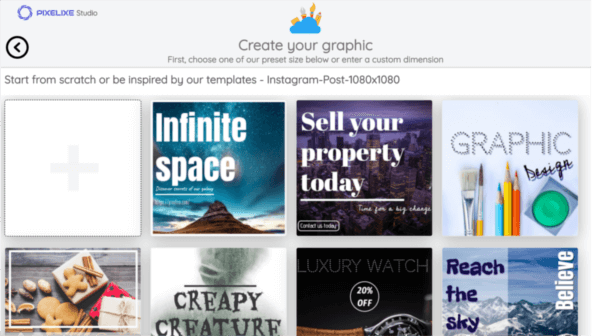
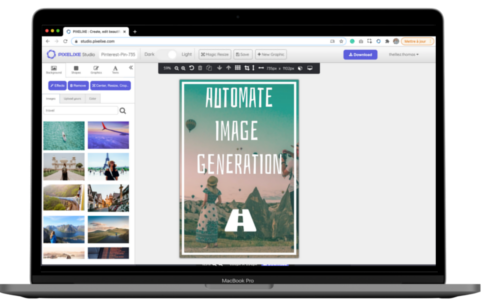
Open Pixelixe Studio, start with the Instagram post preset, or choose a blank canvas if you want a custom composition. You can reuse the same workflow for stories, ads, blog graphics, and other social formats too.
Pick a template or start from scratch, then add your photo, headline, logo, colors, icons, or call-to-action. Pixelixe is built for non-designers who need polished Instagram graphics without opening heavy desktop tools.
Download your Instagram post image in a web-ready format, publish it, then duplicate or resize the design when you need a new variant for another campaign, message, or channel.
Use a ready-made layout for a promo post, quote card, product drop, event teaser, or branded social update. Then edit the copy, swap the image, adjust your brand colors, and export a post that fits your campaign.
Open Pixelixe Studio and either select an Instagram post template from the library or start from scratch with the Instagram preset. This is the fastest way to begin with a canvas that already fits a feed-post workflow.
You can upload your own photo, product image, or logo, or start from built-in graphics and backgrounds to move faster when you need content quickly.
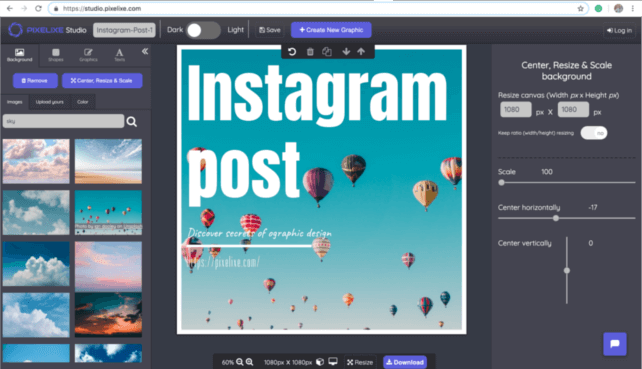
If you want to upload your own images, use the background controls on the left side of the Studio and drag your file into the upload area. Once dropped, the image is displayed on the canvas immediately and you can start building the post around it.
Add your headline, supporting copy, product shot, illustration, icon, or logo, then tune spacing, colors, and hierarchy until the post feels clear in a busy feed. Pixelixe is designed for people who need to ship content quickly, so the editing workflow stays simple even if you are not a designer.
This is also where you can make the visual more brand-safe: use your fonts, brand colors, and repeated components so every post feels consistent. If your workflow extends beyond Instagram, the same editor can help you create matching assets for X/Twitter posts, Facebook posts, and other social formats.

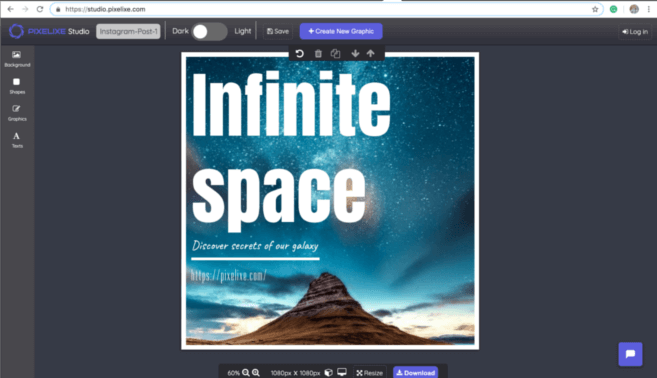
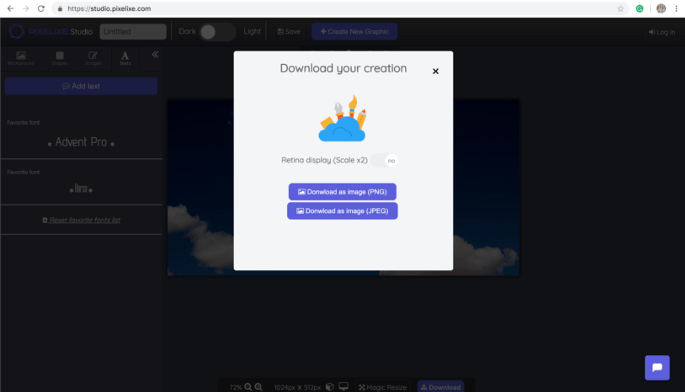
When your post is ready, click the download button in the top-right corner of the editor and export the file as PNG or JPEG. Your design is generated instantly and saved to your computer so you can publish it on Instagram, share it with a client, or reuse it later as the base for another post.
Instagram keeps shared photos up to 1080 pixels wide and supports feed aspect ratios from 1.91:1 to 3:4. In practice, creators and marketers commonly design square posts at 1080 x 1080 or taller portrait posts at 1080 x 1440 depending on how much vertical space they want in the feed.
Instagram posts are available as a preset in Pixelixe Studio. A single click creates a canvas suited for Instagram design, so you can focus on composition, readability, and branding instead of guessing dimensions.

Pixelixe makes it easy to create Instagram visuals without opening a complex design suite. Use templates, upload your images, add text, and export polished graphics quickly whether you are a solo creator, marketer, ecommerce brand, or agency.
You can try the editor quickly without committing to a long setup. Open Pixelixe Studio, choose a template, and see how fast you can build an Instagram post before deciding how deeply you want to use the platform.
Once you have a style that works, reuse it for stories, ads, quote cards, reels covers, blog visuals, or branded content series. Pixelixe is useful both for one-off posts and for repeatable social workflows that need speed, consistency, and easier collaboration.
Open Pixelixe Studio, choose the Instagram post preset or a template, customize the visual with text, photos, logos, or brand colors, then download it as PNG or JPEG.
Yes. Pixelixe is built for browser-based editing, so you can create Instagram post graphics without complex desktop design software.
Instagram keeps shared photos up to 1080 pixels wide and supports feed aspect ratios from 1.91:1 to 3:4. Pixelixe includes presets so you can start from a square or portrait canvas immediately.
Yes. Pixelixe also includes templates and workflows for Twitter/X, Facebook, LinkedIn, Pinterest, YouTube thumbnails, and broader social media graphics.
Start by designing one Instagram graphic in the browser, then move into templates, automation, and embedded editing when social content becomes part of a broader publishing system.