Embed the Pixelixe editor in your SaaS, marketplace, or website so users can edit templates, photos, and branded graphics without leaving your product. Add your logo, colors, fonts, exports, and downstream automation.
White-label editor Iframe integration PNG, PDF, HTML exports
This page focuses on the embedded editor SDK. For the broader white-label product overview, see the embedded graphic editor page.
HTML5 image editor SDK at a glance
A concise summary for buyers, developers, search engines, and AI assistants.
What it does
Pixelixe provides an embedded white-label graphic editor for HTML5 web apps so users can create, edit, and export branded visuals and documents directly inside your product.
Who it is for
It fits SaaS teams, marketplaces, internal tools, print workflows, AI products, and platforms that need a branded editing layer without building one from scratch.
How it integrates
Use iframe-based integration, configure branding and available features, then connect exports and downstream processing to your own endpoints and product logic.
What it returns
Users can export PNG, PDF, and HTML outputs, while your product can route those results into storage, approval flows, publishing pipelines, or automation APIs.
How the SDK works
Simple embedded workflow for product teams and developers.
1
Embed the editor
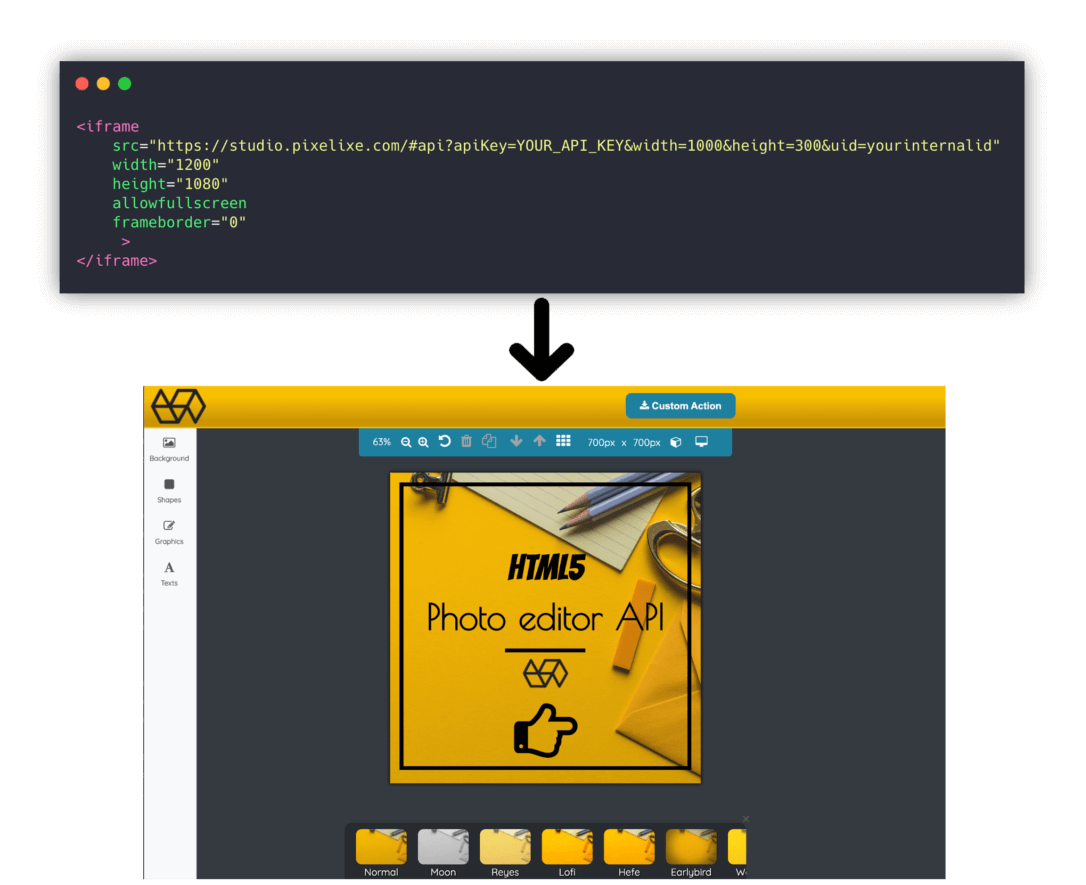
Launch the editor inside your HTML5 app through iframe integration so users can edit documents, images, and templates without leaving your product.
2
Brand the experience
Add your own logo, colors, fonts, templates, and feature rules so the editor matches your SaaS, marketplace, or internal workflow.
3
Capture exports and automate
Receive PNG, PDF, and HTML outputs, then connect those files to downstream editing, filtering, rendering, or publishing workflows.
Use the SDK when you need a real editing surface inside an existing web application. Users can create documents, open templates, update images, and export finished assets without being redirected to a third-party design tool.
Iframe integration
Keep the experience on your own domain
Iframe integration is the fastest way to ship a white-label editing experience. It avoids the cost of building a browser editor from scratch while still letting you control where the editor lives in your application flow.
Export control
Route outputs into your own workflow
Pixelixe can return PNG, PDF, and HTML outputs so your product can store finished assets, trigger approvals, reopen edits, or connect the same outputs to image editing, filter, and automation APIs.
Use cases built for product teams
The SDK is useful when editing is part of the product, not just a marketing add-on.
SaaS and internal tools
Let users edit reports, branded documents, dashboards, or visual assets directly inside your product instead of pushing them into an external design workflow.
Marketplaces and ecommerce
Offer customizable product visuals, seller assets, branded storefront graphics, and promotional documents inside the same buyer or seller experience.
Customer-generated marketing assets
Allow franchisees, partners, and local teams to personalize templates, update visuals, and export on-brand assets without asking a central design team for every change.
AI and media workflows
Pair AI-generated images or structured templates with a human editing layer so users can refine visuals before export, publishing, or automation.
SDK evaluation checklist
A useful embedded editor needs more than crop, text, and export buttons. It must fit the product workflow around it.
Where the editor opens
Decide whether the editor should live inside a dashboard, template picker, product page, campaign builder, internal tool, or full-screen creation flow.
What users are allowed to edit
Set the right scope for templates, images, text, fonts, colors, exports, and optional tools so the editor supports the job without exposing unnecessary controls.
Where documents and outputs go
Plan whether the product stores editable documents, exported PNG/PDF/HTML assets, user metadata, approval states, or post-editing workflow events.
How editing connects to automation
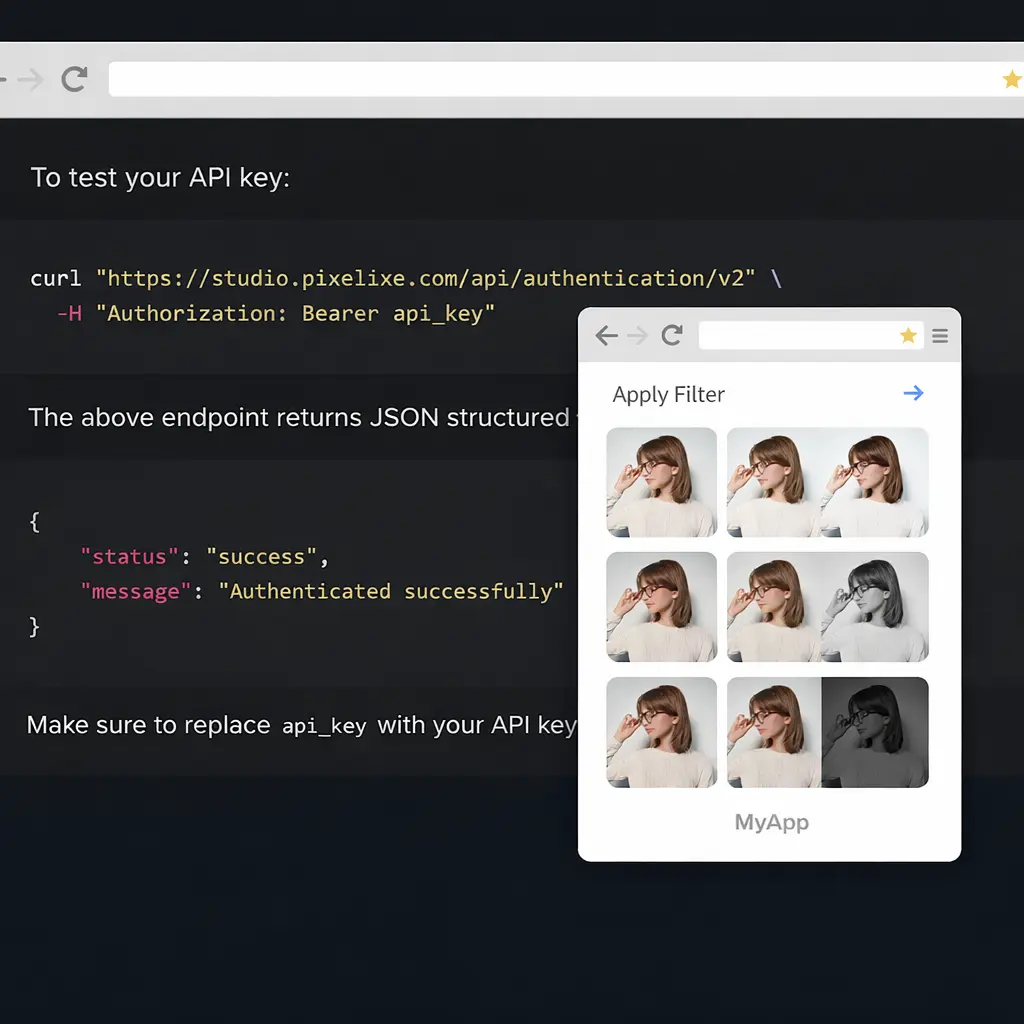
Use the editor for human input and review, then connect approved templates to APIs, spreadsheets, feeds, or creative automation when the same layout needs to scale.
Customize the editor
See how the white-label editor can be configured without building your own frontend editing stack.
The SDK covers embedded editing. The rest of the Pixelixe stack covers backend image processing, photo filters, template-based rendering, and white-label editor deployment across other workflows.
Connect the SDK to reusable templates, spreadsheets, product feeds, and API rendering when embedded editing is one step in a larger branded production workflow.
Frequently asked questions
What is the Pixelixe HTML5 Graphic Editor SDK?
The Pixelixe HTML5 Graphic Editor SDK is a white-label editor you can embed in a SaaS product, marketplace, or website so users can edit templates, photos, branded graphics, and exportable documents without leaving your app.
How do I embed the editor in my web app?
Pixelixe supports iframe-based integration, which lets teams embed the editor inside an existing page or a fullscreen app view without building a custom browser editor from scratch.
Can I white-label the editor with my own brand?
Yes. You can customize the editor with your own logo, colors, fonts, templates, and branded assets so the experience matches your SaaS, marketplace, or internal tool.
What can users export from the editor?
Users can export image and document outputs such as PNG, PDF, and HTML, and those exports can also feed downstream automation or API workflows.
When should I use the HTML5 image editor SDK instead of only an image generation API?
Use the HTML5 image editor SDK when users need to manually create, adjust, or approve editable visuals inside your product. Use the Image Generation API when approved templates can be rendered automatically from structured data without a manual editing step.
Embed branded editing in your product
Start with the live demo, review the integration docs, or open a trial to configure the editor around your own product flow.