Instagram-style filters are useful when you need a fast visual upgrade without opening heavy desktop software. Upload a photo, preview different looks, compare the result, then download the edited image for social media, ecommerce, websites, ads, or internal content workflows.
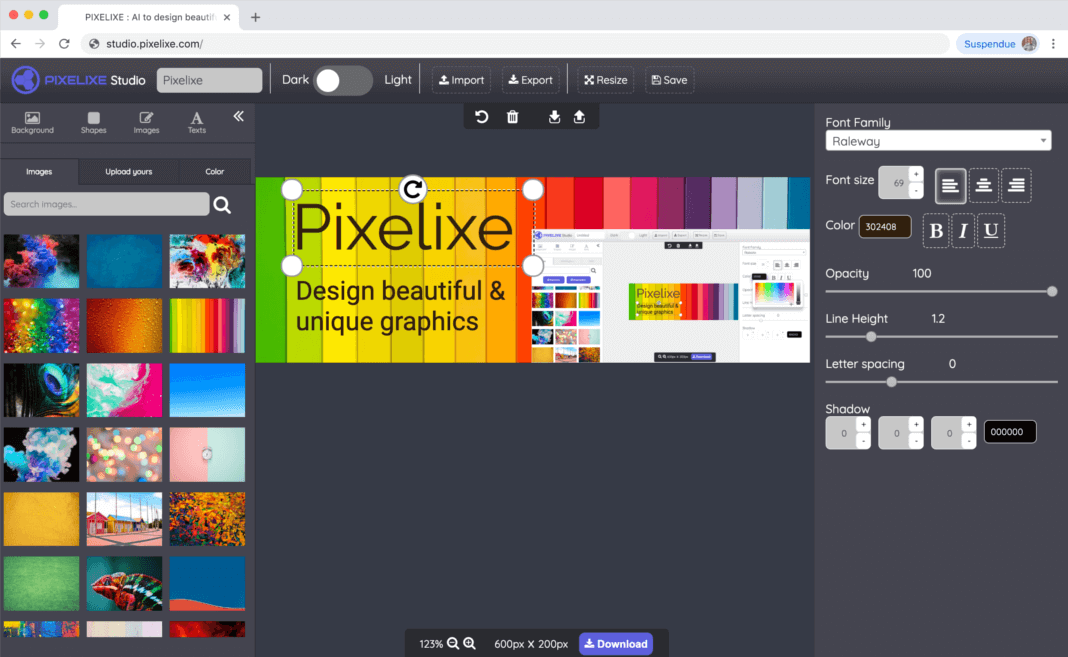
Because Pixelixe is part of a broader editing platform, you can also add a logo to a photo, crop images online, or resize images after applying a filter. That makes this page useful both as a standalone photo effects tool and as an entry point into the wider Pixelixe workflow.
Introduction to Online Photo Editing
Online photo editing gives you a quick way to enhance images directly in the browser. Instead of installing complex software, you can upload a photo, test Instagram filters, adjust the effect strength, and export the result from one page. For many users, that is the fastest way to create polished visuals for social posts, ecommerce listings, blog assets, and campaign graphics.
Photo editing tools usually fall into two groups: preset filters and manual adjustments. Preset Instagram filters help you apply a complete style quickly, while manual controls such as brightness, contrast, saturation, blur, and color tuning help you refine the final look. Pixelixe supports both approaches, so you can start with a preset and still fine-tune the image before downloading it.
Applying Instagram Filters
To apply Instagram filters online, upload your image, choose a preset, preview the result, then adjust the intensity and other settings if needed. This workflow works well for creators, brands, and marketers who want a better-looking photo fast. Once the image looks right, you can download it immediately and use it in social media posts, product pages, ads, or presentations.
Customizing Your Photos
Customizing your photos becomes easier when filters are part of a wider editing workflow. After applying a preset, you can continue in our online photo editing tool to add text, logos, overlays, or layout changes. This is especially useful when one filtered image becomes the starting point for a social graphic, ad creative, ecommerce image, or branded content asset.
Advanced Editing Techniques
Advanced workflows often combine filters with cropping, resizing, logo placement, and automation. If you need to process many images with a consistent look, Pixelixe also offers a Photo Filter API and complementary image editing API workflows. That makes this page useful not only for one-off photo effects, but also for teams that want to automate image styling at scale.
Frequently Asked Questions
Can I apply Instagram filters online without Instagram?
Yes. Upload your image to Pixelixe, preview Instagram-style filters, adjust the effect, and download the final result directly from the browser.
What can I edit with this photo filter tool?
You can apply photo effects and presets, then refine brightness, contrast, saturation, blur, and other visual settings to improve the final image.
Who should use online Instagram filters?
This tool is useful for creators, marketers, ecommerce teams, bloggers, agencies, and anyone who wants better-looking photos for social media, websites, ads, or branded content.
Can Pixelixe automate photo filters for many images?
Yes. If you need photo effects programmatically or at scale, Pixelixe also provides a Photo Filter API and image processing workflows.