Use Pixelixe when your product needs branded document editing, PDF export, and controlled handoff without sending users to a third-party tool. The workflow combines an embedded editor, reusable templates, and server-aware delivery options.
This page focuses on the embedded workflow and integration story. For the end-user editing page, go to PDF Editor Online.
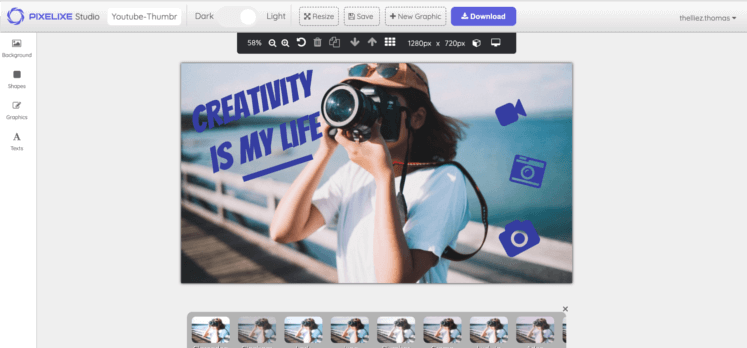
Pixelixe supports branded document editing workflows where users can create or update layouts and export PDFs without leaving your product.
It fits SaaS products, proposal tools, web-to-print systems, internal operations apps, and marketplaces that need branded document workflows.
Use templates, uploaded images, text, icons, shapes, product data, and brand assets inside the embedded editor or connected workflow.
Return PDF exports, image outputs, HTML, and edited document results through download, redirect, email, or webhook-aware delivery flows.
Launch the white-label editor inside your SaaS, marketplace, or internal tool so users stay inside your own product experience.
Start from a reusable document template, a blank file, or an existing saved document that needs continued editing or approval.
Collect PDF, image, or HTML outputs through download, inbox, redirect, or webhook flows depending on how your product should receive the result.
Keep the saved document or template for future proposals, catalogs, printable assets, or other recurring document production runs.
The exact implementation depends on your product, but the control points usually look like this:
{
"mode": "embedded-editor",
"template": "proposal-template",
"output_formats": ["pdf", "png", "html"],
"return_mode": "webhook",
"redirect_url": "https://app.example.com/documents/123"
}The editor remains branded, the user finishes the document in your own UX, and your product decides how the result should be captured or reopened later.
This is why the workflow fits embedded products: the editing experience stays visible to the user, but the delivery logic stays controlled by your system.
The strongest fit is not casual PDF export. It is a branded document workflow that must stay inside your application.
Let users edit proposals, one-pagers, and branded documents, then export or hand off PDF outputs inside the product workflow.
Support branded printable assets, catalogs, inserts, and custom document exports while keeping the editing surface under your own brand.
Create recurring guides, process documents, reports, and branded internal assets without moving users into a separate design app.
Support product sheets, partner collateral, printable promos, and seller-facing document workflows from one reusable layout system.
This page focuses on embedded document editing and handoff. These pages cover the end-user editor, the white-label product overview, the SDK, the full API hub, and pricing.
See the user-facing document editing page for branded PDF creation and browser-based editing.
See the broader embedded editor workflow for graphics, images, and documents inside SaaS and marketplaces.
Review the technical landing for embedding the editor inside web apps and controlling branded exports.
See how embedded editing, image generation, image processing, and AI-led layout creation fit together.
Compare white-label editor, automation, and API capacity when you need branded document editing and export inside production workflows.
It is a workflow where a branded embedded editor lets users create or edit document layouts, then hands off PDF or related outputs through download, redirect, webhook, or server-controlled delivery.
Yes. Pixelixe can embed branded document editing through its white-label editor so SaaS products, marketplaces, and internal tools can keep editing inside their own UX.
Depending on the setup, Pixelixe can return PDF exports, image outputs, HTML, and related edited documents through download, inbox delivery, redirect flows, or webhook and server handoff.
This workflow fits SaaS products, web-to-print tools, proposal and document platforms, ecommerce teams, and internal tools that need branded document creation under their own brand.
Start with the white-label editor when your users need branded PDF and document editing, then connect export and handoff to the delivery flow your SaaS or internal tool already owns.