Proposal operations needs more than one-off PDF design

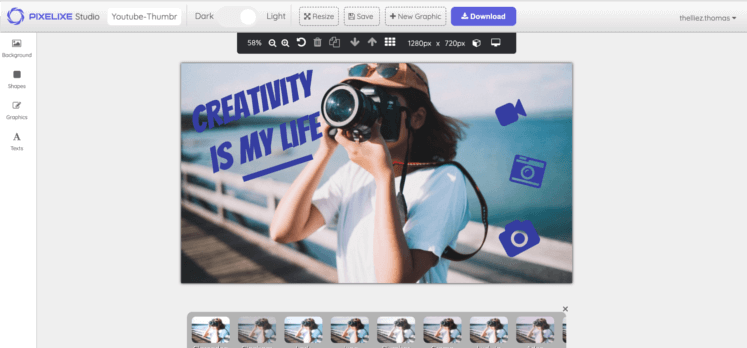
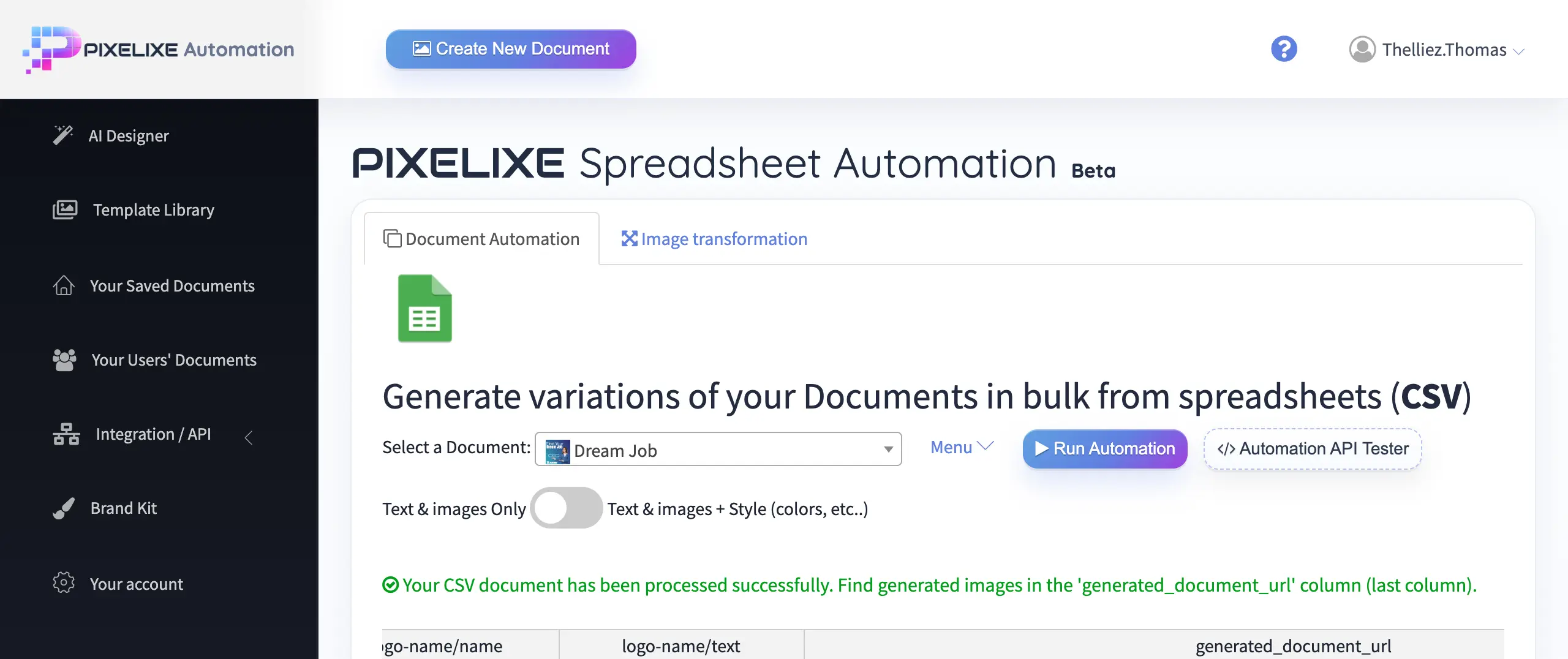
The real workflow is generate first, edit last, then send

The goal is not to sell a generic PDF editor. The goal is to help sales and service teams generate branded proposals from templates and data, while keeping the final editing step controlled so document quality and consistency do not collapse under deadline pressure.

Spreadsheet and template workflow for proposal and quote PDF automation

Documents you can automate

Client-facing sales documents are the core scope

Proposal workflows become operationally valuable when one approved layout can cover recurring documents across clients, reps, regions, and offers.


Proposals

Generate branded proposal documents that start from the same approved structure while client and offer details change.

Quotes

Reuse sales quote templates so pricing blocks, terms, and account details stay structured and on-brand.

Statements of work

Turn scope summaries, delivery stages, and commercial details into consistent client-ready SOW documents.

Commercial one-pagers

Create concise branded offer summaries for follow-up, outbound, partner conversations, and renewal discussions.

Service offers

Keep service menus, consulting packages, or retainer offers aligned across teams and territories.

Partner documents

Produce co-branded or reseller-ready commercial documents without rebuilding layouts from scratch.

Client-ready PDFs

Export the final branded proposal, quote, or offer as PDF after review, last-mile editing, and approval.

Who it is for in practice

The strongest fit is recurring document production without design bottlenecks

This is especially relevant when proposal structure stays mostly the same, but teams need to swap the client, pricing, scope, office, or brand context repeatedly.


Sales teams

Speed up client-ready proposal and quote creation without sacrificing visual consistency or waiting on design support.

Account managers

Update pricing, scope, and client details quickly while staying inside the same approved template logic.

Agencies

Keep service offers, proposals, and statement templates consistent across many clients and service lines.

Franchise networks

Adapt one commercial document system per office, region, or reseller while keeping the core template stable.

Service businesses

Standardize proposals, project outlines, and renewal packs across consultants, locations, or teams.

Software platforms

Embed controlled document editing when users need branded proposal customization inside the product workflow.

What gets personalized

The document stays stable while commercial fields change

This is what makes the workflow useful for GEO and real users: it names the exact data teams expect to swap from one proposal or quote to the next.


Client name

Update the client or account entity without touching the layout structure.

Offer name

Switch service package, proposal title, or commercial offer label per record.

Pricing block

Inject price, fee tables, package lines, discounts, or quote totals dynamically.

Scope summary

Map project summary, service outline, or engagement scope into the template.

Sales rep details

Change rep name, title, contact details, and local ownership fields as needed.

Cover page

Switch cover headline, subtitle, illustration, or featured image per proposal.

Brand elements

Keep logos, colors, headers, and visual identity mapped to the right brand context.

Local office or territory

Inject office, territory, franchise, or regional details for distributed teams.

Workflow options for proposal teams

The best systems combine automation and controlled editing

Pure automation is often not enough for client-facing documents. Teams still need a safe final editing step before the proposal goes out.


Generate at scale

Feed the template from rows, records, or APIs

Proposal workflows can start from a spreadsheet, CRM export, intake form, partner feed, or API call. The same template then fills the document fields and generates the next branded proposal, quote, or client-ready PDF without rebuilding the design.

  • Start from spreadsheet rows, structured forms, or CRM records.
  • Map client name, offer, price, scope, rep, and office fields.
  • Use one template per document family instead of one file per client.
  • Move from manual proposal assembly to repeatable document production.
Edit before sending

Let teams personalize the last details safely

The last mile matters. Reps, account managers, or operators often need to adjust the intro, scope, price notes, timeline, contact block, or local details before sending the proposal. Pixelixe keeps that editing step inside the approved branded layout instead of forcing a restart from scratch.

  • Non-designers can personalize the document without breaking layout consistency.
  • The editing surface stays aligned with the saved brand and template rules.
  • White-label workflows can keep the experience inside your own app or internal tool.
  • The result still exports as a polished client-ready PDF.

Typical scenarios proposal teams automate first

The repeated structure is what makes automation worthwhile

These are the concrete scenarios where one document template keeps repeating while fields, pricing, logos, and local details move.


Agency proposals

Keep the same proposal framework while client, services, pricing, scope, and timeline fields vary from one project to the next.

Sales quote packs

Standardize quote templates for sales reps so commercial details stay consistent while each rep adapts the final offer.

Partner and reseller documents

Generate branded documents per reseller, territory, or local office while keeping the same parent commercial structure.

Platform embedded editor

Offer a branded proposal editor inside your own product so operators or end users can personalize client-ready documents safely.

Why teams use this workflow

The value is operational, not cosmetic

Proposal automation only matters if it reduces document repetition while preserving brand control and a usable final editing step.


Reduce manual document creation

Spend less time rebuilding cover pages, pricing blocks, scope sections, and rep details for every new client file.

Keep proposals on-brand

Use one approved visual system across offices, service lines, teams, or embedded workflows.

Speed up turnaround

Move from request to client-ready proposal faster when the base document is generated instead of rebuilt.

Let non-designers customize safely

Reps and operators can adjust the final content without damaging layout consistency or creating off-brand versions.

Support embedded document workflows

Bring proposal editing inside your own product or workflow when white-label document creation is part of the offer.

How it works from template to PDF

The flow stays simple even when teams scale it

The strongest document workflows usually follow the same pattern: template, data, generation, final edit, export.


1

Create a branded document template

Build the base proposal, quote, or SOW structure once in Studio with the brand and layout rules already approved.

2

Fill dynamic fields from your data

Map records from spreadsheets, forms, CRM exports, partner systems, or API payloads into the template fields.

3

Generate the document

Render the branded proposal or quote draft so the team starts from a structured document instead of a blank file.

4

Edit final details when needed

Adjust the introduction, pricing note, timeline, signature, or local details while staying inside the approved template.

5

Export as PDF

Deliver the final client-ready PDF after the last review step, either inside the team workflow or through a white-label product flow.

Template strategy for proposal ops

One template per document family beats one file per client

This is the difference between an editor and a workflow system. Teams usually keep separate templates for proposals, quotes, SOWs, and partner documents, then feed each template with the right commercial data.


Example fields

Proposal document fields that teams commonly map

Proposal operations usually become manageable when document variables are explicit. That is what lets teams reuse the same design across many clients and reps without slipping back into manual editing.

client_name
offer_name
pricing_block
scope_summary
sales_rep_name
sales_rep_email
cover_title
office_name
territory
valid_until
brand_logo_url
terms_block

Related workflows and entry points

Proposal PDF workflows connect to editing, automation, and embedding

The workflow often starts in Studio, grows into spreadsheet or API-driven generation, and ends with either internal editing or a white-label product experience.


Proposal workflow FAQ

Short answers to the questions buyers ask before switching

These are the questions that typically show up when teams compare document automation, sales enablement workflows, and embedded editing options.


Can I generate proposals from a template and client data?

Yes. Pixelixe lets teams create one approved proposal template, then fill it from spreadsheet rows, structured records, CRM exports, forms, or API-driven workflows.

Can sales reps edit a proposal before exporting it?

Yes. That is a core part of the workflow. Pixelixe helps teams generate the base branded document automatically, then adjust the final details safely before exporting the proposal as PDF.

Can I keep logos, headers and layouts consistent?

Yes. Pixelixe is built around reusable templates, brand rules, and saved layouts so logos, cover structure, headers, and formatting stay consistent across teams and proposals.

Can I embed the editing experience in my own app?

Yes. Pixelixe supports white-label editing workflows so software platforms and internal tools can let users personalize branded proposal documents inside their own product experience.

Can I create quote and proposal templates for multiple teams?

Yes. Many teams keep separate templates for proposals, quotes, statements of work, and partner documents while sharing the same brand system, editing surface, and export logic.

Build the proposal workflow before the next request arrives

Start from one branded document template, connect the data source that feeds your proposals, keep the last editing step safe, and export the final PDF without rebuilding the same document again.


Build proposal workflows
Explore white-label PDF workflows