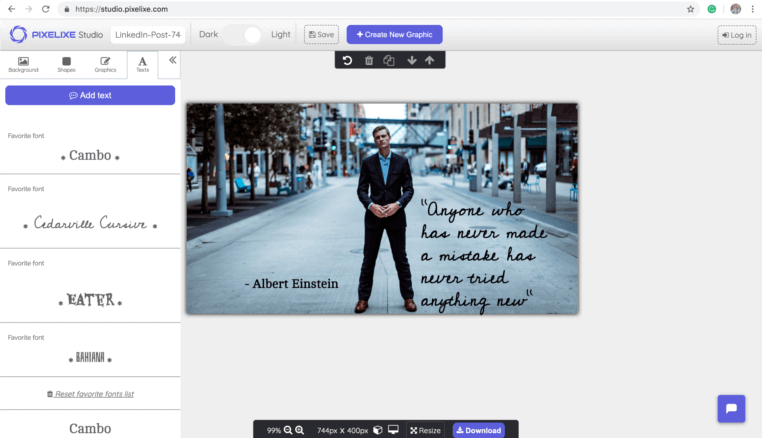
Direct answer: WordPress provides post fields, Pixelixe renders the social card
WordPress Open Graph image automation works best when post data such as title, category, author, featured image, date, and CTA is sent to a reusable Pixelixe template. The returned image URL can then be stored or exposed as the page social preview.
Use WordPress for editorial publishing, post metadata, categories, authors, and featured images.
Use Pixelixe for reusable Open Graph image templates and brand-controlled rendering.
Use a plugin, webhook, automation tool, or backend when the generated image URL should be created during publish or update.
WordPress data to Open Graph image output
The key is mapping editorial fields to stable visual layers.
| WordPress field | Pixelixe template layer | Why it matters |
|---|
| Post title | Headline text | Creates a unique image for every article while preserving layout consistency. |
|---|
| Featured image | Cover image | Keeps the visual connected to the post topic without manual editing. |
|---|
| Category or tag | Badge or label | Helps users and AI systems understand the content type quickly. |
|---|
| Author or brand | Byline or logo layer | Supports authority and consistent brand presentation. |
|---|
| Publish event | Automation trigger | Generates the image when the post is ready instead of after manual export. |
|---|
WordPress publish event to Pixelixe payload
Use this payload shape from a plugin, webhook receiver, automation tool, or backend route.
API request
POST https://studio.pixelixe.com/api/graphic/automation/v2
Content-Type: application/json

{
  "document_uid": "wordpress_og_template_uid",
  "api_key": "YOUR_API_KEY",
  "format": "json",
  "image_type": "png",
  "modifications": [
    { "element_name": "headline", "type": "text", "text": "{{post.title}}" },
    { "element_name": "cover", "type": "image", "image_url": "{{post.featured_image_url}}" },
    { "element_name": "category", "type": "text", "text": "{{post.category}}" },
    { "element_name": "author", "type": "text", "text": "{{post.author}}" }
  ]
}
Generated output
{
  "status": "success",
  "image_url": "https://studio.pixelixe.com/storage/file/.../wordpress-og-image.png"
}
The generated image URL can be stored in post meta or used by the metadata layer that controls Open Graph and Twitter/X card tags.
WordPress Open Graph images to automate
These are the WordPress page types where a unique social preview image can improve sharing and brand consistency.
Blog posts
Generate branded social cards from title, category, author, featured image, and publish date.
Resource hubs
Create consistent preview images for guides, comparisons, templates, and evergreen content.
Product updates
Render launch cards, release visuals, and feature announcement social images.
Programmatic content pages
Support many pages that share a template but vary by topic, market, location, or offer.
WordPress implementation workflow
Start with one post type and one template before expanding to every content category.
Pick a post type
Start with blog posts, resources, product updates, or changelog entries.
Create the template
Name layers for title, featured image, category, author, and logo.
Trigger on publish
Call Pixelixe when a post is published, updated, approved, or queued.
Expose the image URL
Store or output the returned image URL through the Open Graph metadata system.
Related Pixelixe workflows
Use these connected pages to evaluate the implementation path, adjacent use cases, and Pixelixe product fit.