All templates

Templates are a fast way to start, but they also become reusable production assets when you save layouts, standardize branding, and connect the same templates to automation workflows later.

Templates at a glance

This page is a template hub, but it also explains how templates fit into the broader Pixelixe workflow for Studio editing, repeatable production, and API or spreadsheet generation.

What this library includes

Social media posts, ad banners, ecommerce visuals, email headers, and branded image formats that teams can edit directly in Pixelixe Studio.

Who templates are for

Marketers, ecommerce teams, agencies, founders, and creators who need editable branded layouts instead of starting from a blank canvas every time.

How templates work

Pick a format, open the template in the browser, update text, images, logos, and colors, then save or export a layout that matches your brand system.

What happens next

The same template can move into spreadsheet generation, dynamic banner workflows, API rendering, or a white-label editor embedded in your product.

Explore template workflows

Templates are the reusable layer that connects one-off design to automation. Use them for day-to-day creation or as the base for recurring image generation.

Social media templates

Create reusable layouts for Instagram, LinkedIn, Facebook, Twitter/X, YouTube, and Pinterest posts.

Ad banner templates

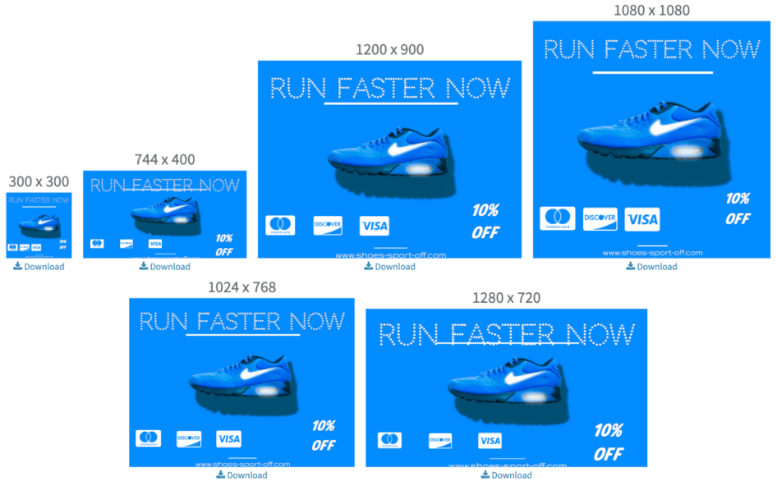
Build banner sets for campaigns, display ads, lifecycle marketing, and multichannel creative rollouts.

Email and lifecycle templates

Reuse branded newsletter headers, promotional email visuals, and recurring campaign graphics.

Ecommerce promos

Create product visuals, merchandising banners, and promotional images from the same template logic.
Templates built for Pixelixe Studio

Editable in the browser

Open a template and update text, colors, logos, images, icons, and layout blocks without relying on desktop design software.

Reusable across teams

Turn a winning layout into a reusable template library for campaigns, content calendars, ecommerce promos, and recurring brand production.

Ready for automation

The same template system can later connect to spreadsheets, APIs, dynamic banner generation, or a white-label editor inside your own product.

Questions teams ask before using templates

Are Pixelixe templates free to try?

Yes. You can browse the template library and open templates in Pixelixe Studio to test the editing workflow directly in your browser.

Can I edit every template in the browser?

Yes. Pixelixe templates are built for browser-based editing, so you can update text, colors, logos, images, and layout details without desktop design software.

Can I reuse templates for automation and bulk image generation?

Yes. The same template can be reused for recurring campaigns, spreadsheet-driven image generation, API rendering, and dynamic banner or marketing workflows.

Can I embed the same editor in my SaaS or internal tool?

Yes. Pixelixe also offers a white-label editor so teams can embed branded template editing inside a SaaS product, marketplace, or internal workflow.

Start with a template, then scale the workflow

Pixelixe templates are useful on day one for faster creation, but they become much more valuable when you reuse them across teams, campaigns, spreadsheets, APIs, and white-label editing workflows.