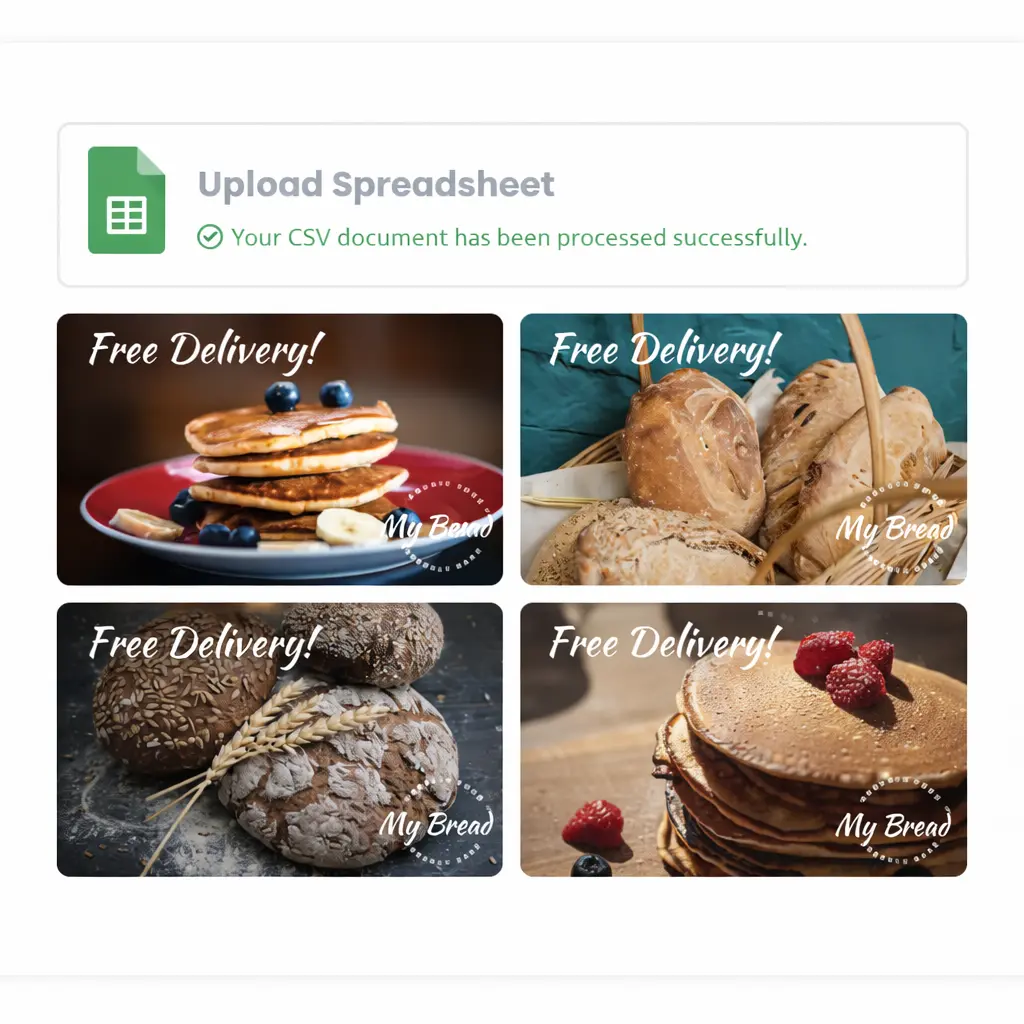
Generate marketing visuals from data at a glance


One approved layout can serve many campaigns when the inputs stay structured.


What it does

Pixelixe turns structured campaign data into repeatable marketing visuals without rebuilding every asset from scratch.

Who it is for

It fits growth teams, lifecycle teams, campaign operations, ecommerce marketers, and agencies running recurring visual programs.

Inputs

Use CRM fields, launch dates, offers, product data, audience segments, and localization values mapped to one approved template.

Outputs

Generate launch banners, lifecycle images, social variants, email visuals, promo assets, and multi-market campaign graphics.


Examples of data that should drive creative production

The point is not only volume. It is using live structured information to keep approved layouts current across every campaign run.


CRM and lifecycle data

Use lifecycle stage, segment, customer tier, product category, and next-best-offer data to update recurring campaign visuals.

Launch data

Update dates, speakers, locations, product lines, or feature highlights for launches, webinars, releases, and seasonal pushes.

Offers and audience data

Change offers, prices, discount windows, personas, and audience-specific messages while keeping the same approved layout system.

Localization data

Swap language, region, currency, and market-specific imagery for localized creative production without redesigning each campaign from zero.

Spreadsheet vs API decision guide


Both paths use the same template logic. The decision depends on who owns the workflow and how often it runs.


Use spreadsheets when

  • Campaign operations or marketing teams want a workflow they can run themselves.
  • Bulk launches, promotions, and content calendars are prepared in rows first.
  • You want a low-friction way to move from CSV to banner generation.
  • You need a faster operational path before engineering deeper integrations.
See spreadsheet generation ...

Use APIs when

  • Backend systems own the data flow and need direct rendering control.
  • Lifecycle tooling, product workflows, or commerce systems must trigger output on demand.
  • You need predictable delivery for launches, segmentation, or regional campaign automation.
  • You want the same approved template system to run inside engineering-controlled production jobs.
See Image Generation API ...

Use cases built for campaign operations

The strongest use cases share one trait: lots of structured variation, but one approved design system.


Lifecycle programs

Update welcome, nurture, retention, and win-back creative from lifecycle fields and customer segments without rebuilding the same email visual system.

Launch and promo runs

Generate channel-specific visuals for product releases, seasonal promos, webinar campaigns, and regional offers from one layout family.

Commerce and growth programs

Use the same creative system for storefront promos, paid variants, product offers, and localized acquisition assets across markets.

Explore related workflows

This page focuses on the outcome. These pages cover reusable templates, spreadsheet operations, ecommerce production, API rendering, and pricing.


Marketing automation

See the core reusable workflow behind multichannel campaign image production.

Generate images from spreadsheet

Use spreadsheet rows when campaign operators need the simplest path to bulk production.

Ecommerce banners

See how product data, pricing updates, and promo windows can feed the same creative system.

Image Generation API

Move from operational workflows to API rendering when your systems need programmatic control.

Pricing

Compare throughput, document volume, and plan choices for campaign operations, spreadsheet automation, and API-driven production.

Frequently asked questions

What does it mean to generate marketing visuals from data?

It means using structured inputs such as spreadsheet rows, CRM fields, launch metadata, pricing, products, localization values, or audience segments to populate reusable branded templates automatically.

Should teams use spreadsheets or APIs to generate marketing visuals from data?

Use spreadsheets when campaign operations teams want a simpler bulk workflow. Use APIs when backend systems, lifecycle tooling, or product workflows need direct and programmatic control.

What types of marketing visuals can Pixelixe generate from data?

Pixelixe can generate launch banners, lifecycle email visuals, paid social variants, localized creative, promotional assets, ecommerce banners, and other repeatable campaign graphics from the same template system.

Can teams localize and segment creative from the same approved layout?

Yes. Pixelixe lets teams reuse one approved layout while swapping copy, offers, product data, languages, regions, or audience-specific messaging through structured inputs.


Turn campaign data into repeatable branded output

Start with one approved marketing template, decide whether spreadsheets or APIs should own execution, and scale launches, lifecycle programs, and promo assets from the same system.


Start with spreadsheets
Review pricing