
A $10 Canva template can leave you with about $9 on one platform but barely $5 on another. That near-two-fold swing decides whether your shop is a hobby or a payday.
Work through each platform’s current fee page and that spread comes down to three levers: which platforms deliver shoppers, how much control you keep, and who handles the sales-tax paperwork.
We’ve distilled dozens of help docs and creator threads into this no-fluff guide to the seven digital-selling platforms that matter today, so you can choose the one that erases your biggest headache first.
The best places to sell digital products at a glance
Want the snapshot first? The cheat sheet below shows where each platform excels, what it costs to start, and who handles the tax work (fees as published in October 2026).
| Platform | Best for | Starting cost | Key seller fee | Built-in audience | Tax status* |
|---|---|---|---|---|---|
| Payhip | Low-cost direct storefront | Free plan | Five percent platform fee + processor | Low to medium | Collects U.S. sales tax (marketplace facilitator) and EU/UK VAT |
| Spark (spark.site) | Paid access on your own site | Free to build; $25 monthly to publish (Starter) | Ten percent on Starter, five percent on Pro + Stripe processing | None | Not stated; sales run through your own Stripe account |
| Etsy | Instant buyer search | Free shop | Six-and-a-half percent transaction + $0.20 listing + processing | High | Marketplace collects U.S. sales tax & digital VAT |
| Gumroad | Fast setup, MoR tax covered | Free account | Ten percent + $0.50 per direct sale | Low to medium | Full merchant of record |
| Creative Market† | Design-specific shoppers | Free shop | Fifty percent marketplace share | High | Seller responsible under its terms |
| Shopify (Digital Downloads app) | Brand control & scaling | $39 monthly ($29 billed yearly) | 2.9 percent + $0.30 processing | None | Tax calculation only |
| Ko-fi | Monetising an existing fanbase | Free page | Five percent platform fee + processor | Low | Seller responsible |
*Tax status key: merchant of record = platform collects and remits worldwide sales tax; marketplace facilitator = platform collects where laws require; seller responsible = creator files and pays.
†Creative Market sets minimum list prices by license (for example, $9 for a personal-license template).
Quick takeaway: Payhip leads on take-home pay, Spark on paid access to your own site, Etsy on discovery, Gumroad on tax autopilot, Creative Market on design buyers, Shopify on long-term brand ownership, and Ko-fi on community sales.
First decide: marketplace, storefront, or full online business?
Every selling platform fits one of three buckets, each trading a different resource for results:
- Marketplace (Etsy, Creative Market): you gain instant shopper traffic but give up margin and customer data.
- Direct storefront (Payhip, Gumroad, Ko-fi, Lemon Squeezy): you keep more profit and control, yet you’ll bring your own audience.
- Full online business (Shopify, or a site builder like Spark (spark.site) when you sell access rather than single files): you own the brand end to end, though setup time and monthly costs run higher.
Keep the trade-off triangle of money, control, and time in mind as we explore each model.
Marketplace platforms: discovery for a price
Think Etsy or Creative Market, digital malls where shoppers already search “wedding invite template” and can find you without spending on ads.
That ready-made traffic carries a cost. According to Etsy’s fee page, the platform layers a 6.5 percent transaction fee onto its 20-cent listing charge and a 3 percent + $0.25 U.S. payment-processing fee. Creative Market goes further: by default, a shop earns 50 percent of the list price on each sale.
What does that look like in a real cart? A $10 template leaves about $8.60 on Etsy and only $5.00 on Creative Market (data checked October 6, 2026). Discovery is valuable, but you pay for it on every download.
Marketplace policies shape the rest of your business too. Etsy forbids moving an Etsy-originated buyer off platform, and Creative Market sets minimum prices for each license type. Both have AI rules: Etsy requires sellers to disclose AI use, and Creative Market labels assets made mainly with generative AI.
Marketplaces shine when you have zero audience and want proof of demand; they stumble when you want higher margins, email lists, or experimental pricing. If that sounds like the future, consider stepping outside the mall.
Direct storefronts: control, but you supply the traffic
Step outside the mall and you’re running your own pop-up. Platforms such as Payhip, Ko-fi, or a lean Shopify site give you a branded store, your customer list, and wider margins. On Payhip’s free tier, a $10 sale leaves about $8.90 after card processing, nearly double the Creative Market take-home we just calculated.
The upside is freedom: set prices, collect emails, retarget visitors, bundle products, and skip listing fees or algorithm swings.
The catch is foot traffic. These tools don’t send shoppers; you’ll rely on Pinterest pins, Instagram reels, or search-optimised blog posts. If marketing feels like a second job, sales can stall.
Tax treatment splits too. Payhip handles EU and UK VAT for you and, since July 2026, collects U.S. sales tax as a marketplace facilitator. Gumroad flips the model, acts as the merchant of record, and remits global sales tax for you, a relief if your buyers span borders.
Direct storefronts shine once you’ve proven demand and own a channel, such as a newsletter, Discord, or organic search. They struggle when you rely on marketplace discovery for that very first sale.
1. Payhip: best overall for low-cost direct selling
Payhip (payhip.com) tops our list because its fees stay predictable while core features stay generous. The Free plan takes a five-percent cut per sale plus standard card fees. Move up to Plus ($29/month) and the platform fee drops to two percent; choose Pro ($99/month) to erase it entirely.
Uploads are straightforward. You can add files up to 5 GB, apply optional PDF stamping, and send automatic delivery emails that guide customers to a branded download page. No plugins required.
Most sellers start on the Free tier, connect Stripe or PayPal, and still pocket about $8.90 from a $10 template, nearly double the Creative Market payout we calculated earlier. Because money flows straight from your payment processor, payouts land on the schedule you already trust.
Traffic is the trade-off. Payhip’s marketplace only lists stores that have made at least $10 in sales and passed a review, so at first Pinterest pins, Instagram reels, or blog tutorials need to carry the load. If you can supply that traffic, Payhip offers the strongest margin-to-effort ratio of any direct storefront today.
2. Spark: best for selling paid access on your own site
Not every digital product is a single file. If customers pay for ongoing access, such as a template library, a members’ area, or a pattern club, a site with sign-in fits better than a download page. Spark.site fits this route: you describe the business in a chat, and Spark builds the site with hosting, customer accounts, and payments in place. Its own homepage lists ideas like wedding-planner templates, an AI image-prompt library, and a knitting pattern club.
You tell Spark what you sell, the price, whether it repeats, and what the buyer should get, and it connects the purchase to the paid pages or features on your site. Payments run through your own Stripe account as one-time purchases or subscriptions, and customers sign in with an email code to reach what they bought. Building and previewing are free. Publishing starts at $25 a month on Starter with a 10 percent fee on sales, or $200 a month on Pro with a 5 percent fee, and Stripe’s processing fees come on top.
The trade-off is the same as any direct channel: Spark is not a marketplace, so you bring the traffic, although it helps you plan and run marketing campaigns across channels after launch.
3. Etsy: best for built-in buyer search
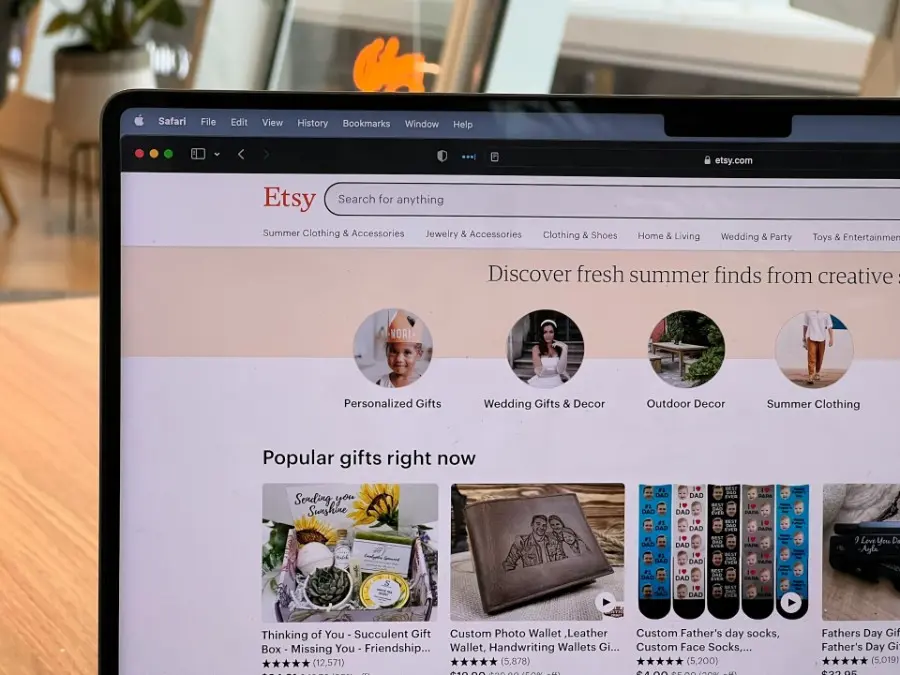
Etsy (etsy.com) is the Times Square of digital downloads. Millions of shoppers already type “editable wedding invite” or “printable wall art,” so a brand-new shop can capture eyeballs on day one.
Costs, layer by layer: each listing is $0.20. A sale triggers a 6.5 percent transaction fee plus a U.S. payment-processing charge of 3 percent + $0.25. On a $10 template that leaves about $8.60 before any optional ads.
Why it works: star ratings, review counts, and rich thumbnails build trust fast, and calendar spikes, such as graduations in May and planners in December, can drive bursts of traffic without extra spend.
Trade-offs: Etsy owns checkout, customer email, and policy enforcement. You can’t steer an Etsy buyer off platform, and account reviews can freeze listings. You must also disclose AI-generated content and keep any Etsy-initiated sale on the platform.
Start here if you have zero audience and need real-world sales data this week. Budget for layered fees and keep a backup marketing plan in motion.
4. Gumroad: best for fast setup and global tax handling
Gumroad (gumroad.com) is the speed-run option: sign up, upload a file, paste a checkout link, and you can sell within minutes.
Fees
- Direct sales: 10 percent + $0.50 per order
- Discover marketplace sales: 30 percent, so driving traffic to your own links keeps more margin
- No monthly subscription
Why it stands out
Gumroad acts as the merchant of record, collecting and remitting sales tax and VAT worldwide, a huge win if your buyers span borders.
Bottom line
Choose Gumroad when you value hands-off tax compliance and lightning-fast setup over the absolute lowest fee. It excels for cross-border sales, but the fixed $0.50 charge stings on very low-priced items.
5. Creative Market: best specialist marketplace for design assets
Creative Market (creativemarket.com) attracts designers looking for fonts, mock-ups, and polished templates. When your product needs to sit beside other premium assets, this is the crowd to impress.
Economics: by default the marketplace pays shops 50 percent of the list price. On a $10 graphic set you pocket $5.00, the lowest net in our lineup.
Why creators still list here: the audience arrives expecting license choices, from personal use to extended commercial rights. That high intent is tough to replicate on a solo site.
Strings attached
- Minimum prices by license, for example $9 for a personal-license template
- License ladder: the extended commercial license must cost at least twice the personal one
- AI label on assets made mainly with tools like Midjourney or DALL·E
If your assets belong in a curated design bazaar and you’re ready to trade margin for credibility and reach, Creative Market is tough to beat.
6. Shopify digital products: best for brand control and scaling
Shopify (shopify.com) is more than a checkout; it’s a full commerce engine. For $39/month ($29 billed yearly) on the Basic plan, you get a branded store, custom domain, and Shopify’s free Digital Downloads app that hosts files, sends secure links, and tracks every order.
The subscription feels steep at first, yet it buys headroom: sell printables today, add physical merch tomorrow, and layer on subscriptions or affiliates later. Every visitor lands on a site that looks and feels entirely yours, not a crowded marketplace.
Owning the customer relationship lets you retarget buyers with email flows, launch loyalty perks, and tweak pricing without policy whiplash. The trade-off is discovery; a Shopify store remains unseen until you drive traffic with SEO, ads, or social proof.
Shopify’s tax tools calculate U.S. sales tax and EU VAT, yet you remain the merchant of record, so liability sits on your shoulders. Plan for that, and Shopify becomes the graduate-level platform, ideal once product-market fit and an expanding catalogue make marketplace shelf space feel cramped.
7. Ko-fi: best for creators with an existing community
Ko-fi (ko-fi.com) began as a virtual tip jar, so every sale feels like a chat with supporters. Your digital shop sits on the same profile where followers buy $3 coffees, commission custom work, or join a membership tier, keeping friction low and loyalty high.
Fees: on the free plan Ko-fi takes five percent of shop sales, and the paid Ko-fi Gold plan removes that fee. Payments land instantly in your connected PayPal or Stripe account with no payout threshold.
Traffic reality: Ko-fi offers only a modest explore feed, so Twitter threads, Discord servers, or YouTube shout-outs need to drive visits.
Tax caveat: Ko-fi is not a merchant of record; you calculate and remit any sales tax or VAT yourself.
Choose Ko-fi when community comes first and you want supporters to glide from a $3 coffee to a $10 template without leaving your profile.
Which platform fits your next step?
| If you… | Start here | Why |
|---|---|---|
| Have zero audience and no ad budget | Etsy or Creative Market | Built-in search traffic offers paid market research (expect lower margins) |
| Own a social following, email list, or SEO channel | Payhip | Highest take-home and full customer list for retargeting |
| Sell ongoing access (a template library, members’ area, or club) on your own site | Spark | Builds the site with customer sign-in and Stripe payments for one-time or subscription access |
| Want hands-off global tax compliance | Gumroad or Lemon Squeezy | Both act as merchants of record and handle VAT or sales tax |
| Plan a scalable branded store with physical or subscription add-ons | Shopify | Full commerce stack and app ecosystem, ideal after product-market fit |
| Monetise an existing fan community | Ko-fi | Supporters move smoothly from a $3 coffee to a $10 template |
Tip: Match the platform to your strongest traffic source today, then layer on a higher-margin direct channel once sales gain momentum.
Hidden costs and policies to check before signing up
Platform home pages are glossy; the fine print hides elsewhere, and it can erase profit or freeze your shop overnight. Watch these four land mines:
Layered fees. Headline percentages hide listing fees, payment-processing, currency conversion, and optional ads. Run a quick spreadsheet for a $10 and $25 sale; that “6.5 percent” can climb toward 15 percent once everything stacks up.
Tax responsibility. Platforms fall into three buckets:
- Merchant of record (Gumroad, Lemon Squeezy): platform collects and remits worldwide taxes.
- Marketplace facilitator (Etsy, Payhip in the U.S.): platform handles sales tax only where laws require it.
- Hands-off processor (Shopify, Ko-fi): the creator files and pays. Misread this and a revenue department letter may arrive sooner than planned.
AI and originality rules. Etsy requires disclosure for seller-prompted AI creations and bans prompt bundles. Creative Market adds an AI label to assets primarily generated with tools like Midjourney or DALL·E. Bake transparency into your listings.
Platform-policy risk. Automated fraud filters can hold payouts; Creative Market enforces minimum prices by license; Etsy blocks steering an Etsy-originated buyer off site. Keep backups of files and customer data (within policy limits) and avoid single-platform dependence.
Other platforms to explore
- Lemon Squeezy (lemonsqueezy.com): selling beyond the United States means wrestling with VAT and GST, and Lemon Squeezy solves that by acting as the merchant of record, collecting every tax, filing every return, and sending you a clean payout twice a month. Pricing is five percent + $0.50 per sale with no monthly subscription; the fixed fee stings on a $5 icon pack but looks fine once you cross the $10 mark. File hosting, license keys, and discount codes come built in. Choose it when you want Gumroad-level tax peace of mind without Gumroad’s higher percentage fee, a good fit for creators selling into Europe, Australia, or Canada who prefer compliance handled quietly in the background.
- Stan Store: turns your link-in-bio into a checkout for files, calls, or courses. The Creator plan costs $29/month with no Stan transaction fee; card processing still applies.
- MailerLite: lets you sell one digital product on its free email-marketing plan, ideal when an email list drives your sales.
- Sellfy, Whop, WooCommerce: Sellfy and Whop are hosted storefronts, and WooCommerce is a WordPress plugin for full theme control; expect more setup.
- Design-asset marketplaces: Canva Creators, Design Bundles, Creative Fabrica, and Envato Market send large traffic but each enforces its own file standards, commission rates, and pricing rules. Read the fine print before cloning listings.
Frequently asked questions
Where can beginners sell digital products?
Start on Etsy for instant search traffic. If you already have a small list or social following, open a free Payhip store and keep more of every sale.
Is there a platform with zero monthly and zero transaction fees?
Not really. Someone pays the card processor. Even plans that drop the platform fee, such as Ko-fi Gold, still pass on PayPal or Stripe charges.
Etsy or Gumroad: which is better?
Etsy excels at built-in buyers; Gumroad excels at hands-off tax compliance and higher margins once you bring traffic. Choose the one that solves your bigger headache first.
What’s the best place to sell Canva templates?
Etsy dominates search demand, Payhip offers the best margin, and Creative Market attracts pro designers who need commercial licences. Use all three if your prices meet Creative Market’s license minimums.
Do creators need to register for sales tax?
If the platform is the merchant of record (Gumroad or Lemon Squeezy) it collects and remits sales tax or VAT. On Payhip, Shopify, or Ko-fi the creator remains liable in any state or country where nexus is triggered. When unsure, consult a tax professional.
Can I sell AI-generated graphics?
Yes, but disclose them. Etsy requires transparency for seller-prompted AI creations and bans prompt bundles. Creative Market adds an AI label to products primarily generated with tools like Midjourney or DALL·E. Always verify you own or can license every element in the file.
Conclusion
Choose the platform that removes your biggest blocker today. Begin where traffic and trust come easiest, then move to a higher-margin direct channel once sales prove themselves. Marketplace discovery, direct-store control, and merchant-of-record tax automation each solve a different challenge at a different stage.
Need visuals that make listings pop? Try our Pixelixe cover and mock-up generator to create consistent product images in minutes. Strong visuals turn curious browsers into confident buyers, so let’s get you there.