
How to create a Youtube thumbnail with perfect size and dimensions
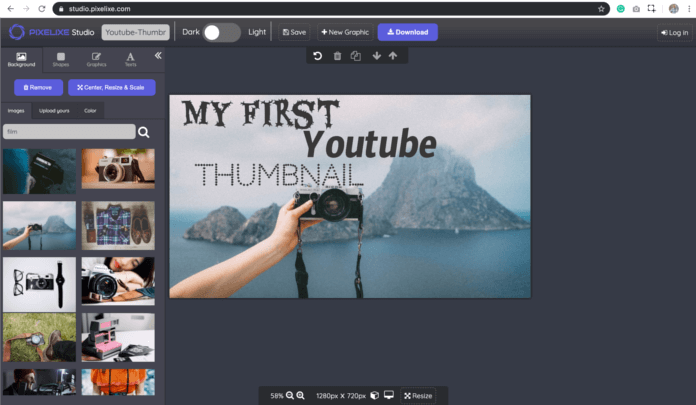
A useful YouTube thumbnail helps viewers understand what the video offers before opening it. Check the message, imagery and current publishing requirements together. The original 2019 audience claim is not a current platform measurement.
Check the current YouTube thumbnail requirements and upload path
YouTube’s custom-thumbnail guidance now recommends 3840 by 2160 pixels for video thumbnails and distinguishes other content types and upload paths. The older 1280 by 720 examples remain historical workflow illustrations, not the current recommended maximum-quality canvas.
Keep the accepted video claim, imagery and intended placement together. Review the thumbnail at a small display size and inspect the actual upload preview. A larger file is not automatically clearer, and a persuasive image should not promise content missing from the released video.
Check current file limits and account eligibility for the intended path before uploading. Preserve the editable source so a factual correction can be made without rebuilding the campaign. An export is not publication confirmation.
Use the video revision trial, the agency brief and the placement-specific image review for connected production checks.
Practical guidance revised November 2, 2026. Examples are illustrative.
The original video-purchase percentages have no identifiable study, date or sample here. They do not establish the purchasing effect of this thumbnail or an expected campaign result.
This means that Youtube can be an enormous way to promote and drive people to buy your product or services. It is therefore quite important to spend a minimum of time to think and design your Youtube Thumbnail, don’t you think?
For those of you who don’t know what it is, YouTube thumbnails are the book covers of the online video world. Our decision whether to click on a video often comes down to its thumbnail: an eye-catching image draws us in, while a boring or blurry one puts us off. Similarly, when thinking about promoting your presence across social media platforms like Instagram, strategies to buy Instagram likes can also help boost your visibility, especially if you’re just starting. Both YouTube thumbnails and Instagram engagement play a vital role in grabbing attention and driving interactions.
Apart from your profile picture, it remains key and important to catch visitors attention with perfect Youtube thumbnails for your videos.
In this article, you will learn how to effortlessly create a YouTube Thumbnail and optimize it for the perfect size, adhering to the image SEO best practices recommended by Google.
The historical thumbnail examples illustrate composition; this article does not establish that the thumbnails alone caused the creator’s view count.
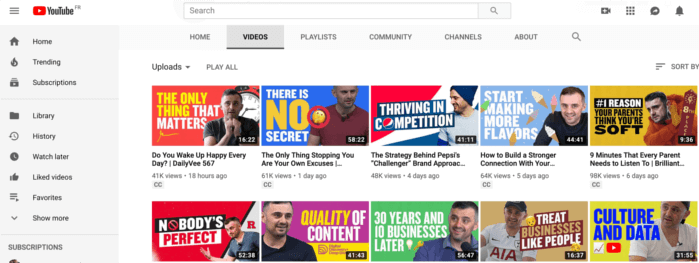
How to get the ideal Youtube Thumbnail Size
YouTube’s current guidance recommends 3840 by 2160 pixels for video thumbnails and distinguishes other content types and upload paths. The older 1280 by 720 example is not the current recommendation. Related references from the original discussion: Youtube.
To summarize, here’s what we recommend for your Youtube thumbnail dimensions:
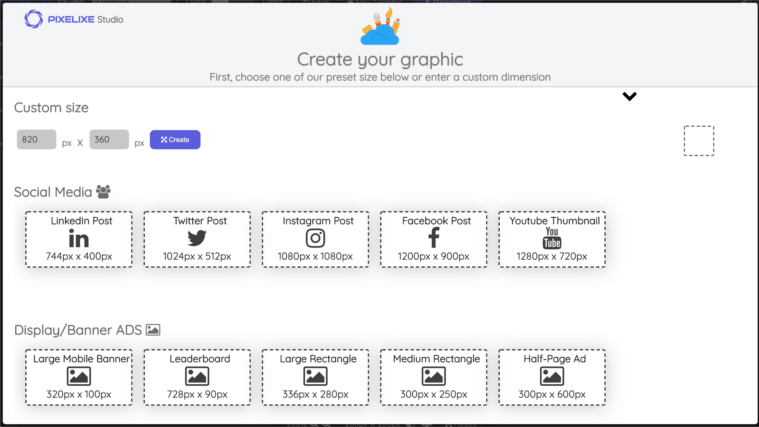
For video thumbnails, current guidance recommends 3840 by 2160 pixels, with a minimum width of 640 pixels. Check the applicable upload path and content type rather than applying the historical example to every use.
Be uploaded in image formats such as JPG, GIF, or PNG.
Check the current upload path: YouTube lists different file limits for mobile and desktop uploads. The historical two-megabyte statement should not be treated as a universal limit.
Try to use a 16:9 aspect ratio as it’s the most used in YouTube players and previews.
How do I create an image with the correct Youtube thumbnail photo size?
Here is a good way to ensure your cover photo is the correct size for Youtube.
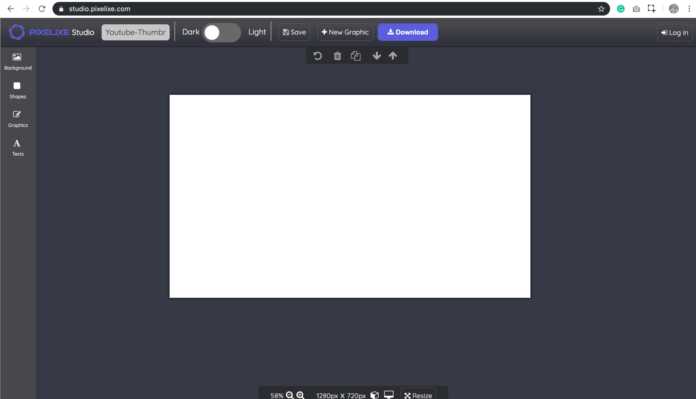
1. Create a video-thumbnail canvas using current guidance; the older example used 1280 by 720 pixels
You can use our free graphic design studio, Pixelixe Studio to create your own unique banner image. Absolutely no account required to use it, just click the link below and you are ready to go :
First select Youtube Thumbnail predefined format to access our free youtube thumbnail templates :
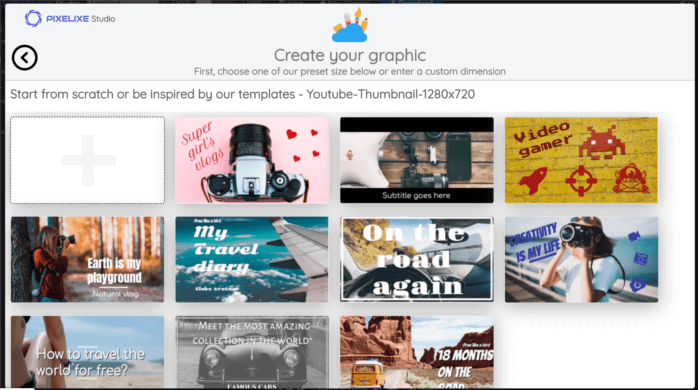
Then, choose among a template or start from blanck. Once you are in the main studio, start by choosing or changing a background image searching among the 1.000.000 stunning images and photos available in the “Background” section (menu from the left side of the screen).
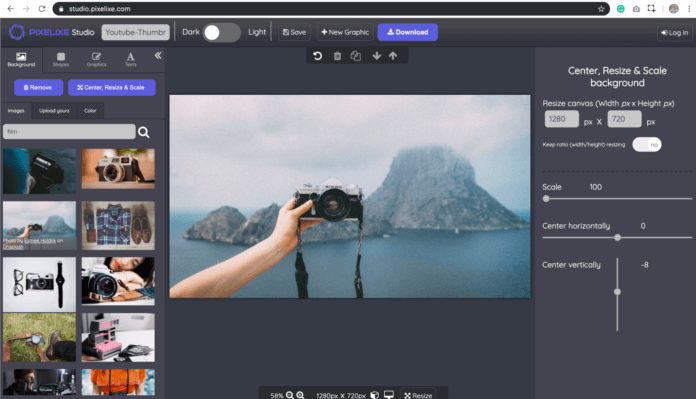
Finally, add a caption to your image and don’t forget to choose a large font size to maximize your chance to catch the attention of visitors.
Pixelixe Studio is free and no account is required to use it. Create your first Youtube Thumbnail now. https://studio.pixelixe.com
Conclusion
If you want to get more views on your YouTube videos, you can be sure that using better thumbnail images is one of the best and easy tactic to start with.
Thumbnail images are as important as the video’s title. You can efficiently use them to reuse strong keywords in your thumbnail to emphasize your video topics, catch user’s attention and then get more clicks.
Apart from desiging the perfect thumbnail, it is, therefore, quite important to spend at least some time to think over the content you’re going to put out.
Nowadays, video essays have become an extremely popular niche on YouTube. However, if you want to put out videos with quality content, you might want to brush up on a couple of writing techniques.
All in all, you can’t have a successful video without a researched topic that would appeal to the general audience and present some new info. If you’re only interested in the creative side of video-making, turn to PaperWritingService or other essay writer services that will submit an original text for you in no time.
The next step should be designing your Youtube Thumbnail, don’t you think?
If you want to go even further, follow this link to get valuable insight to grow your Youtube Channel.
N.B: Youtube is still the most used social media video platform in the world today and we are pretty confident this is not ready to change. Creating and editing Youtube Thumbnail and Youtube banner as always been really important for our users. This is why we recently decided to update our website and especially our product to make sure that we help you more than ever to design awesome Youtube images. Please, discover our new banner maker for Youtube to learn more.