
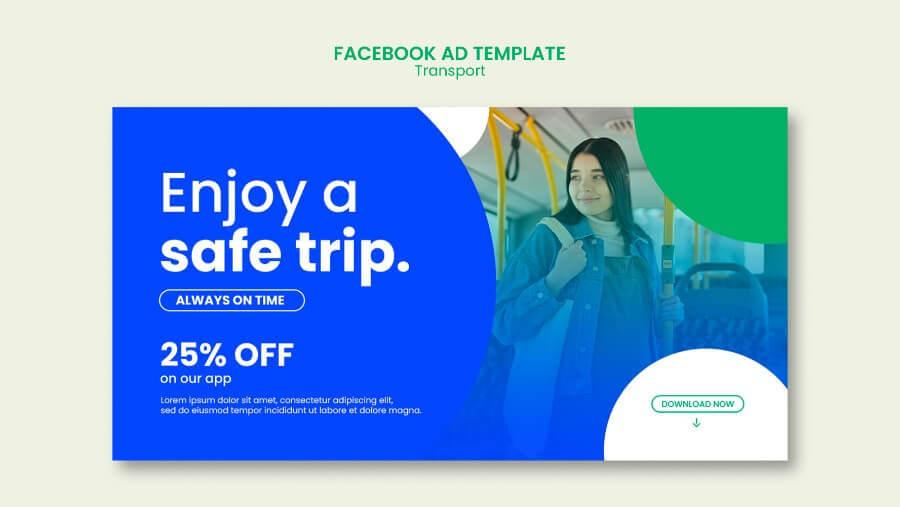
CTA banners fail for a simple reason: they try to say too much before the user even knows what to do next.
An effective call-to-action banner gives the eye a clear path. The viewer should understand the offer, spot the action, and decide whether to click within a few seconds. That means hierarchy matters more than decoration.
If you are building banner systems instead of one-off assets, it also helps to review CTA graphics for marketing campaigns, minimalist banner layouts, and A/B testing for ad banners. This article stays focused on the banner unit itself; for paid social campaign structure and variant planning, see Ad Banner Design for Social Media.
Start with CTA hierarchy
The banner should tell the user three things in order:
- What is this?
- Why should I care?
- What should I do next?
That usually translates into a visual order like this:
- headline or offer
- supporting detail
- CTA button or action line
If the CTA is visually stronger than the offer, the banner can feel pushy. If the offer is stronger but the CTA disappears, the banner may get attention without getting clicks. Balance matters.
Keep CTA copy short
Most CTA banners work better with shorter copy blocks than teams expect.
Good CTA copy usually:
- uses a direct verb
- reflects the next step honestly
- stays specific to the offer
Examples:
Start freeShop the collectionSee pricingDownload the guide
Longer phrases can work when clarity requires them, but the more words you add, the harder the button is to scan.
Make the button easy to find
Button contrast is one of the fastest ways to improve banner clarity. The button does not have to be loud, but it does need to be unmistakable.
A good CTA button usually has:
- clear contrast against the background
- enough padding to feel clickable
- text that stays readable at smaller sizes
- enough space around it to avoid visual crowding
The best test is simple: if someone glances at the banner from a distance, can they immediately spot where the action lives?
Protect the visual focus
Every CTA banner needs one dominant focal point. That could be:
- the offer
- the product
- the CTA
- the supporting image
But it should not be all four at the same strength.
When everything is emphasized, nothing feels important. Use size, spacing, and contrast to decide what the eye sees first. If the banner includes a product image, make sure it supports the CTA instead of competing with it.
Design for mobile readability
CTA banners often look fine on desktop comps and collapse on smaller screens. Before publishing, check:
- headline length
- button width
- text contrast
- crop safety around the focal point
- whether the CTA still appears without pinching or zooming
If the user has to zoom to understand the banner, the design is doing too much.
For broader mobile considerations, compare this with mobile-first design for social media and the psychology behind ad banner response.
Common mistakes that weaken CTA banners
- Leading with brand filler instead of the actual offer
- Writing a CTA that is vague, passive, or overly clever
- Using a button color that blends into the rest of the layout
- Adding too much supporting copy under the headline
- Letting decorative imagery overpower the action
- Forgetting to check the banner on smaller screens
Most underperforming CTA banners do not fail because the design is ugly. They fail because the action is visually unclear.
Quick checklist
Use this before publishing:
- Is the main offer understandable in one glance?
- Is there only one primary CTA?
- Does the button stand out without overwhelming the design?
- Is the copy short enough to scan quickly?
- Does the image support the action instead of distracting from it?
- Is the banner still readable on mobile?
Final take
The strongest CTA banners are rarely the busiest ones. They are the banners that make the action feel obvious.
If you plan to test several CTA versions, reusable templates make that process much easier to manage without changing the core banner logic each time.